Track Your Builds.
Capture Your Process.
The mobile-first project companion for makers and DIY enthusiasts. Track time, capture photos, manage materials, and document your builds from start to finish.
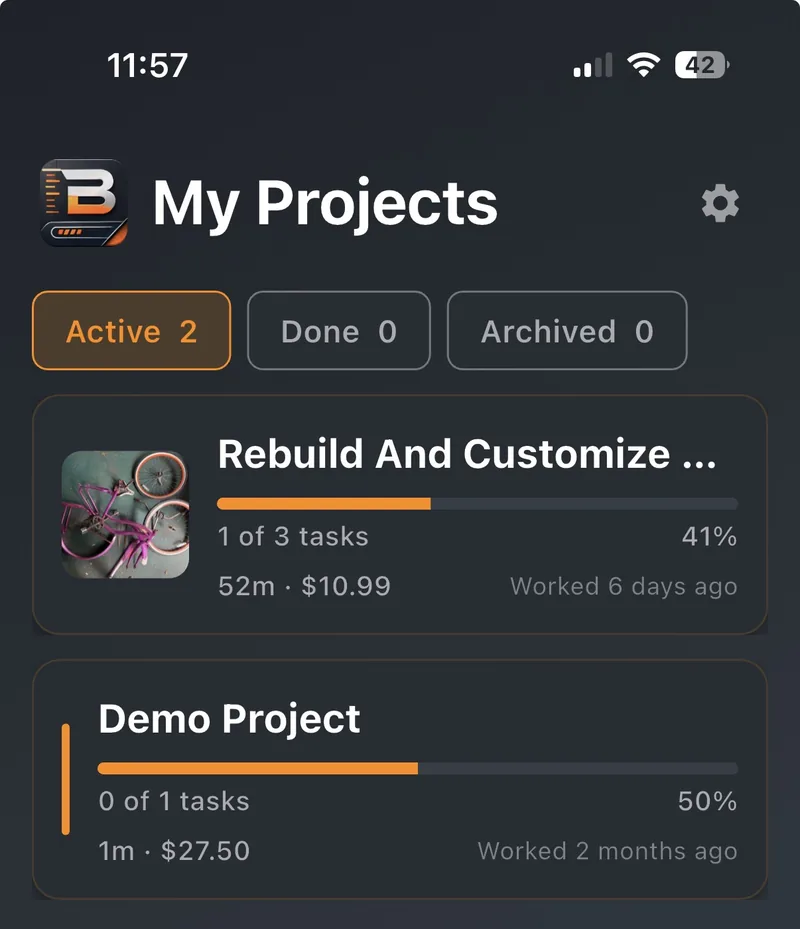
Everything You Need to Build Better
Powerful features designed for makers, woodworkers, and DIY enthusiasts who want to track and document their projects.
Task Management
Break a build into tasks and subtasks, drag them into order, and watch the progress add up. Never lose track of what needs to be done next.
Work Sessions
Track time on each project with a built-in timer that pauses when you take a break. If your phone dies mid-session, BuildLog.diy asks when you stopped instead of counting the extra hours.
Wrap Up Each Session
When you end a session, tick off the tasks you finished, log the materials you used and leave yourself a note for next time.
Visual Documentation
Prop your phone up and it takes a photo every 30 seconds to 30 minutes while you work, or grab one yourself. Each session becomes a time-lapse, and you can save photos and videos to your phone.
Whole-Build Time-Lapse
Finish a project and BuildLog.diy stitches the photos from every session into one time-lapse of the whole build. Finished projects get their own list, and you can archive the rest.
Materials Tracking
Keep a shopping list of what you need, then add the quantity and price when you buy it. Know exactly how much you've invested in each project.
Your Builds on the Web
Sign in at buildlog.diy to look through your projects, tasks, costs and photos on a bigger screen.
Offline-First
Works completely offline. Your data syncs automatically when you're back online, and you can keep photo uploads for Wi-Fi to save your mobile data. Never lose a minute of work.
Private by Default
Everything you send is encrypted on the way to our servers, and your personal details are encrypted once they arrive. Your projects, photos and videos are only shown to your signed-in account, and you can lock the app with Face ID or your fingerprint. On the Free plan, time-lapse videos never leave your phone.
How It Works
Get started in minutes. BuildLog.diy guides you through documenting your projects step by step.
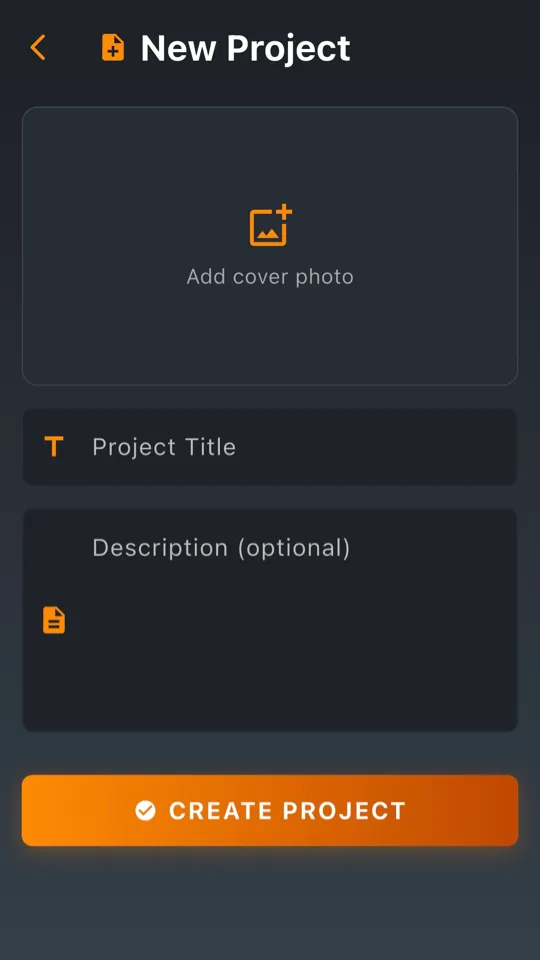
Create Your Project
Give your build a name, a description and a cover photo. Each project keeps its own time, costs and progress.
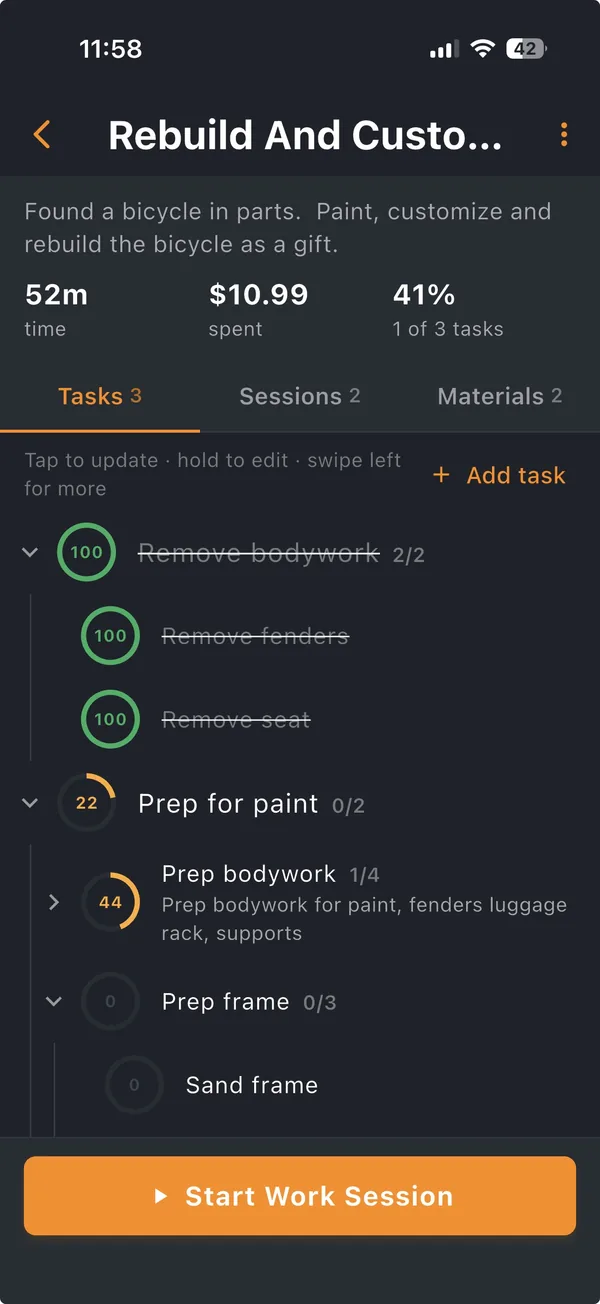
Plan the Steps
Break the build into tasks and subtasks. Tap a task to update its progress, and each step fills in as its subtasks get done.
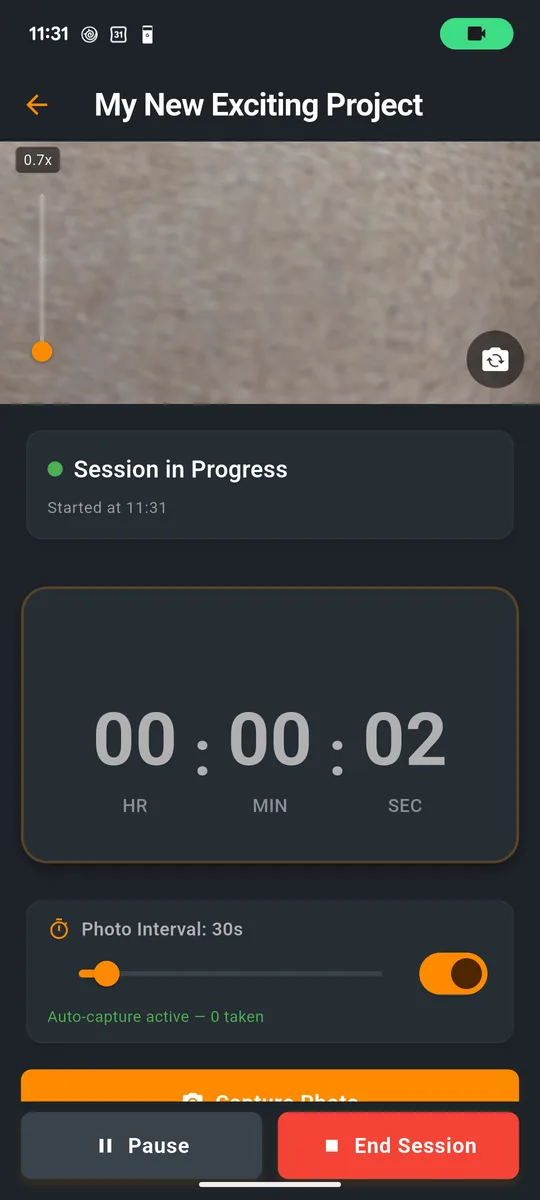
Track Your Work
Start a work session and the timer keeps count, pausing when you take a break. Prop your phone up and it takes a photo every 30 seconds to 30 minutes, your choice, while you work.
Capture the Build
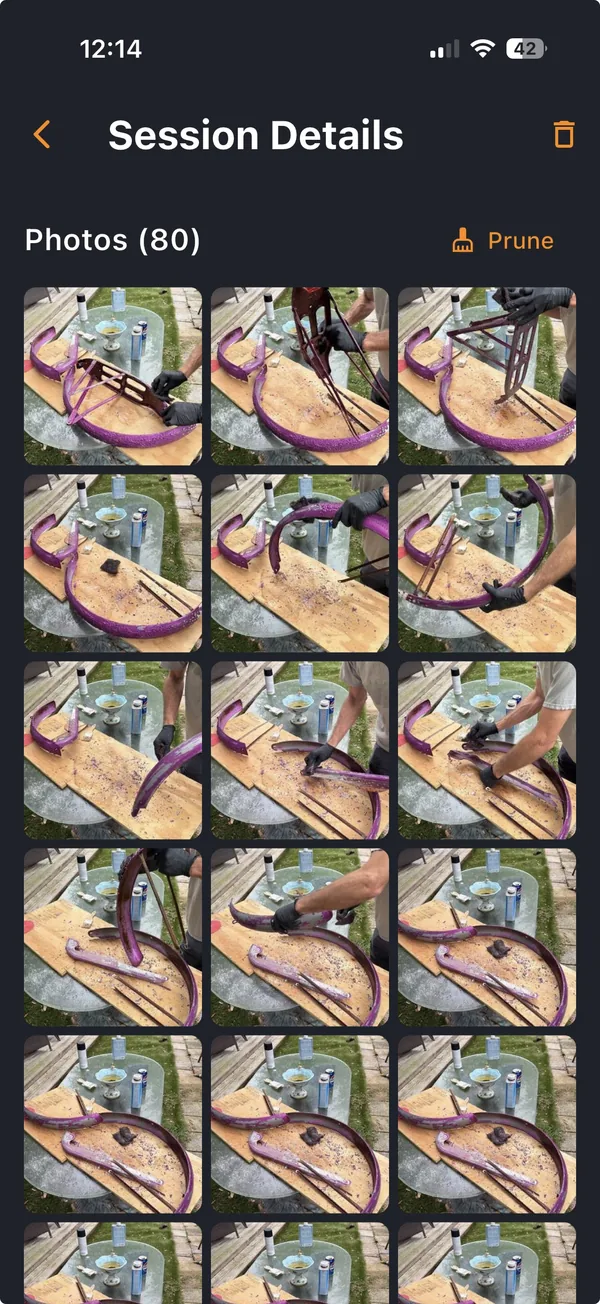
Every session keeps its photos, taken automatically or by you, and turns them into a time-lapse of the build. Keep the best shots and prune the rest.
Know What It Cost
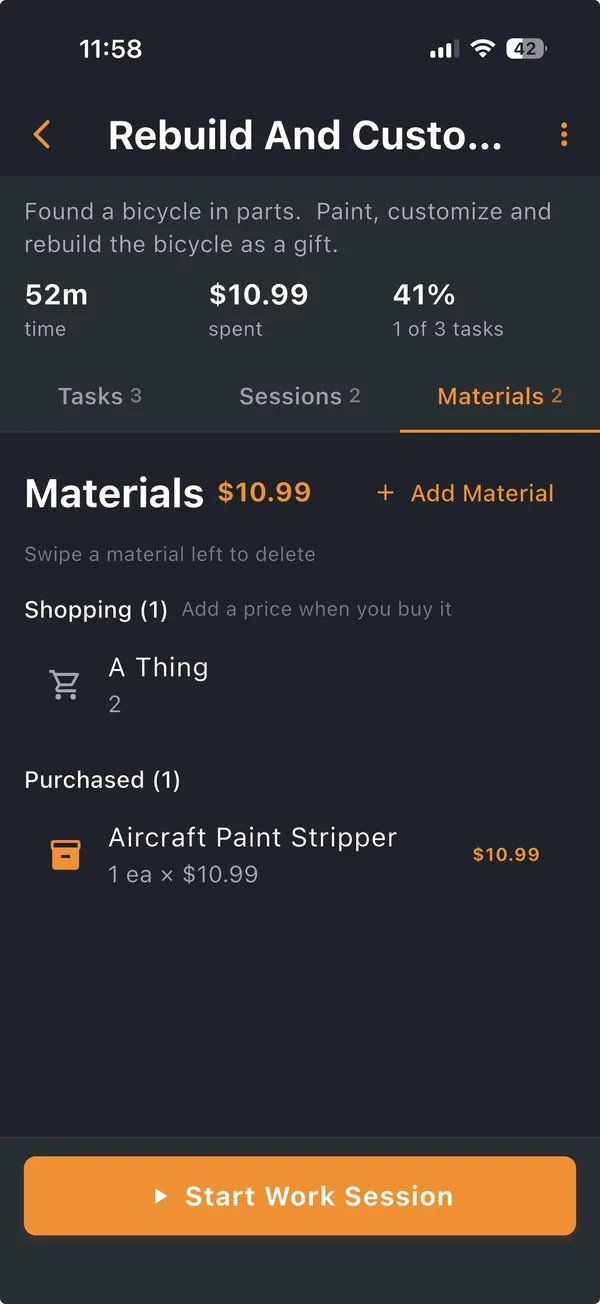
Keep a shopping list of what you need, then add the price when you buy it. BuildLog.diy adds up what each project really cost.
Frequently Asked Questions
What is BuildLog.diy?
BuildLog.diy is a phone app for tracking DIY and woodworking builds. It keeps the time you spend, your tasks, what your materials cost and photos of the work, and turns those photos into a time-lapse of the build.
Who is BuildLog.diy for?
Woodworkers, DIYers, home renovators and other makers who want a record of each build: how long it took, what it cost and how it came together.
How does time tracking work?
Open a project and start a work session. The timer counts while you work, and Pause stops it for a break. If your phone dies or the app closes mid-session, BuildLog.diy asks when you stopped instead of counting the extra hours.
How does the build time-lapse work?
Prop your phone up during a session and it takes a photo every 30 seconds to 30 minutes, your choice, and you can take your own too. When the session ends, the app makes a time-lapse of it. Finish the project and it stitches every session into one time-lapse of the whole build.
Can I track what a project costs?
Yes. Keep a shopping list of the materials you need, then add the quantity and price when you buy them. BuildLog.diy adds up what each project really cost.
Does it work offline?
Yes. Everything saves to your phone first, so it works in a garage or workshop with no signal. Your changes sync when you are back online, and you can keep photo uploads for Wi-Fi.
Is BuildLog.diy free?
The Free plan has up to 3 projects and 1 GB of cloud storage for photos, and time-lapse videos stay on your phone. Maker is $4.99 a month or $39 a year for unlimited projects and 10 GB. Pro is $11.99 a month or $119 a year for 100 GB, with more storage available as an add-on.
Is my data private?
Your projects, photos and videos are only shown to your signed-in account. Everything is encrypted on the way to our servers, your personal details are encrypted once they arrive, and you can lock the app with Face ID or your fingerprint.
Can I use BuildLog.diy on a computer?
You track your builds in the iPhone or Android app. Sign in at buildlog.diy to look through your projects, tasks, costs and photos on a bigger screen.
How do I get the app?
BuildLog.diy is in beta on iPhone and Android, starting in the United States. Sign up on the beta page with the email you use for the App Store or Google Play, and your invite arrives by email.
Ready to Start Building?
Join makers and DIY enthusiasts who use BuildLog.diy to track their projects and document their builds.